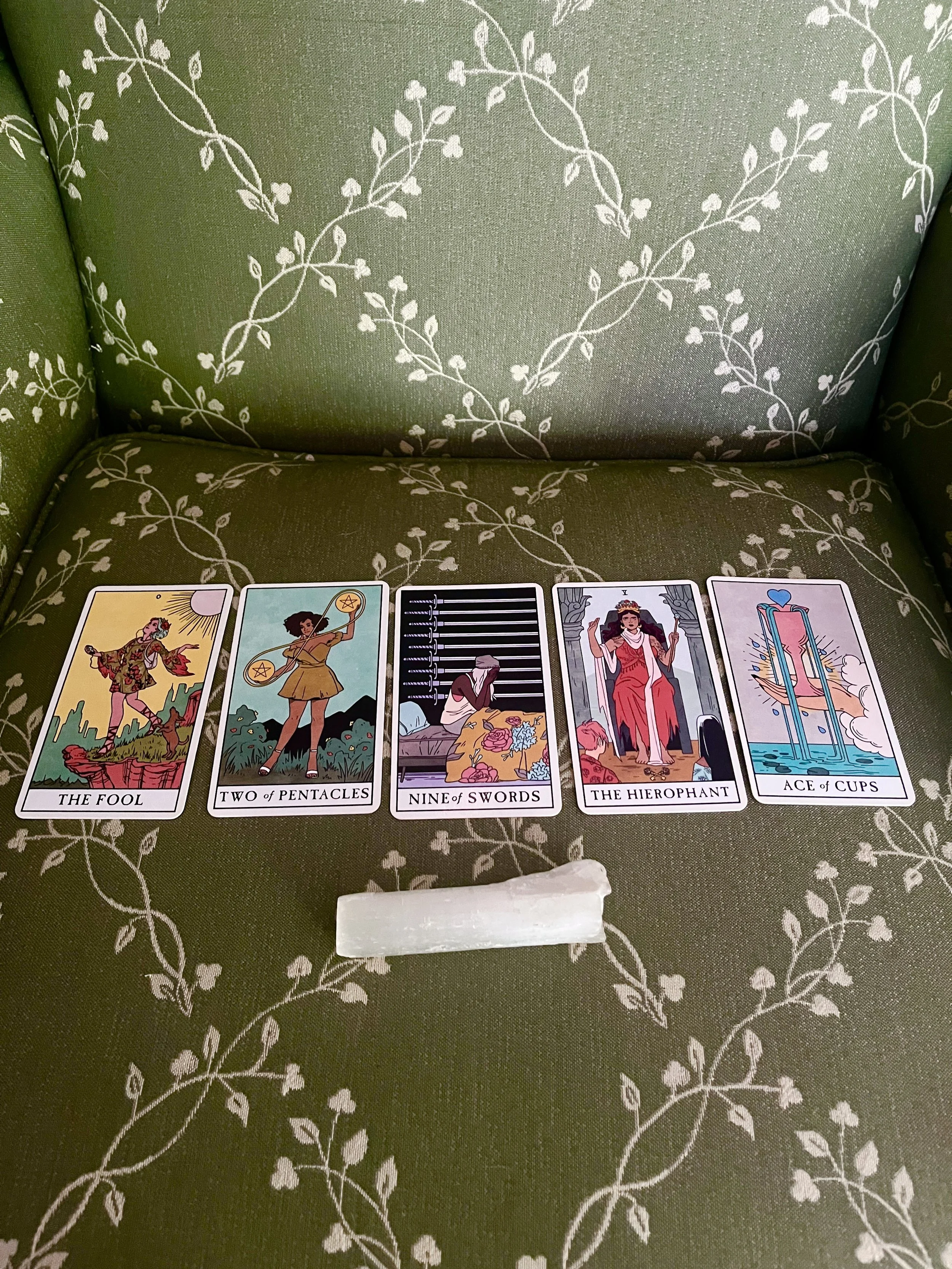
The journey of an entrepreneur if you don’t create your SOP library early enough (IYKYK)
At the beginning of your journey as an entrepreneur, everything was an experiment. You had no idea how to get your first client, register your business, onboard a client, or do anything else that comes with running a business. This is the nature of starting something new. We may have teachers and supporters, but even with the best guidance, we will still make mistakes as we learn our unique way of operating in business. In this stage, we embody the Fool energy in Tarot. It's really just us and our belief in ourselves. After enough repetitions, we begin to create a standard way we move through the operation in our business. We've made enough mistakes to learn what truly works and why. This is the perfect time to document your standard operating procedures.
I heard the groans from everyone reading this. I get it.
You're probably thinking...
I'm used to handling everything myself! Why write down the process if you already know how to do it?
I still remember the early stages of your business, when everything was an experiment. Have I truly gotten the process perfect? Aren't there a few tweaks still to be made?
There are a million other things you want to do to push your business forward. Why take the time to write out your standard operating procedures when you could be doing something more important?
Here's my pitch. As your business grows, you will hit a point where your workload exceeds your capacity. When this happens, balls will begin to drop. You will start to forget the hidden button you have to push when completing that task that only comes up once a quarter. Hiring support will feel impossible because you don't even know how to find the time to train someone, help answer their questions, and continue your own work. Instead of feeling like this next time you're in a busy season, I want you to be ready to enjoy your business's growth and expansion. SOPs are one of the best ways to prepare for success.
What is an SOP?
SOP stands for Standard Operating Procedure. It's essentially a document that outlines the standard way you move through situations in your business. A good SOP should answer the who, what, when, why, and most importantly, how of the situation. I like to include visual aids so it's not just a wall of text, but everyone creates them a little differently. Before we dive into creating your own SOP library, let's talk about how SOPs impacted a client of mine.
Systems in Action - Building an SOP Library that allows you to delegate with ease
A client came to me because she knew it was time to get organized. Her leadership development business was growing, and she had hired a team of coaches to help teach her unique curriculum. The problem was that she was still handling all the admin herself. Her team was eager to take anything they could off her plate, but there were no documented SOPs, and all her tech was so convoluted that it didn't make sense to have them handle it. Together, we strategized ways to simplify the tech so the coaches could work more autonomously and developed a robust library of 50+ resources, tutorials, templates, and SOPs so anyone on the team could reference how to complete a task whenever they wanted. After our work together, she was able to transition most of the admin tasks to the coach handling that client and hire two people to help manage the other administrative tasks she had been handling herself. Now, she has more time for business development, networking, and creative projects that will move the business forward rather than getting lost in her inbox.
How to develop your own SOP and resource library
Step 1: Make a list of all SOPs to create
A good SOP library should include SOPs for all repeated operations in your business. Everything from planning out your content calendar to onboarding a new client. So the first step is to make a list of everything you do in business. I've included some common items below!
X Offer Client Onboarding
X Offer Client Offboarding
Sending Invoices
Scheduling a meeting
Sending a Newsletter
Monthly content rhythm
Daily Inbox Organization
Monthly Finance Tracking
Client Communication
Team Meetings
Process for creating & sending x deliverable
Tech Tutorials
etc.
Once you have your list, I want you to rate each operation based on difficulty, time commitment, and personal joy (this will help us prioritize). The items on the list that are most difficult and take the most time should be created first, because these are the processes you'll likely want to hire support with first!
Step 2: Build out the individual SOPs
Now, it's time to actually develop the SOP for each item on the list. A good SOP should answer the who, what, when, where, why, and how of each process. In addition, it should address any important links, resources, and common issues that come up throughout the process. As an example, I've included my template below.
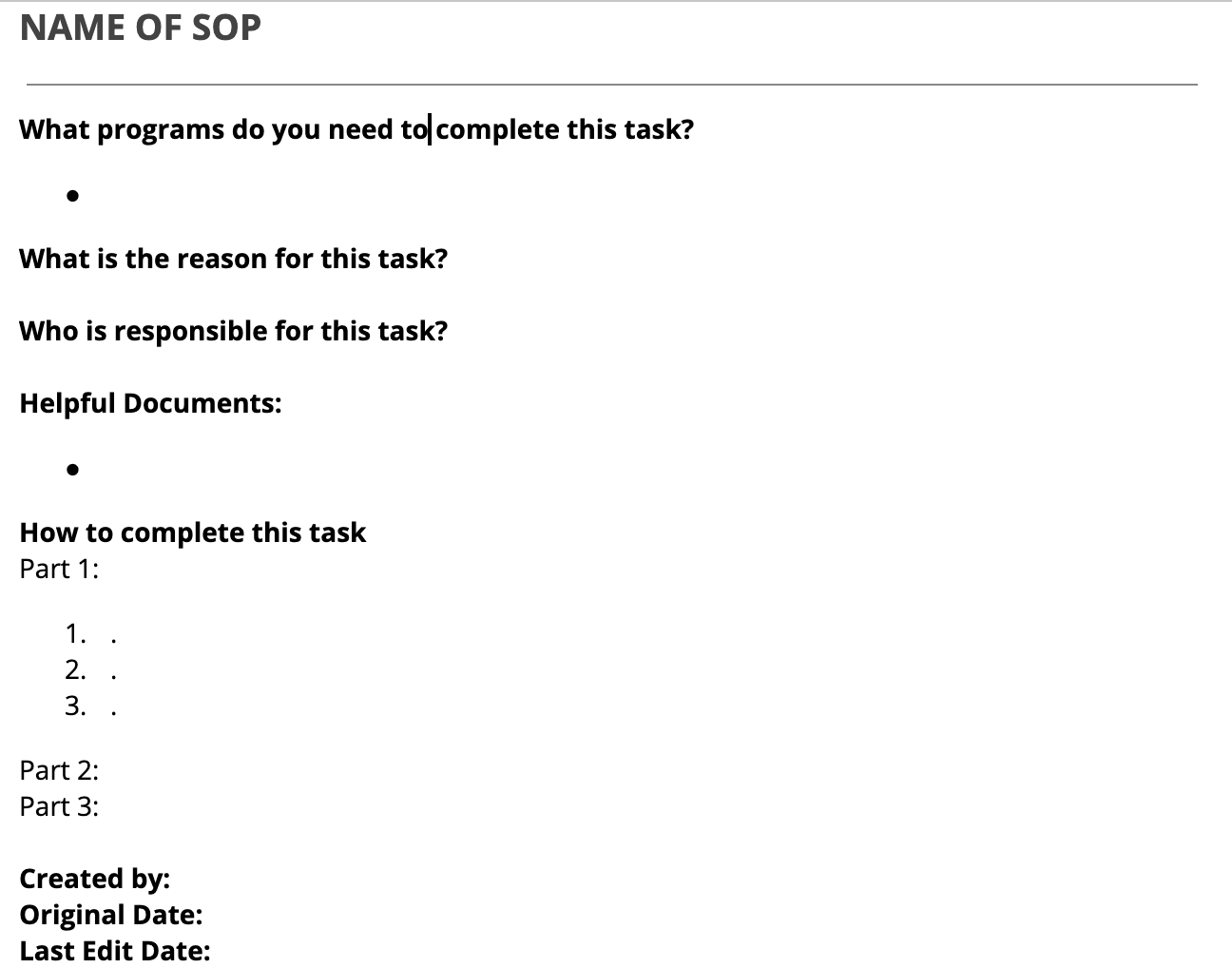
This might look a little different from other SOP templates you've seen. Most of my clients are creative and spiritual entrepreneurs, so I tried to make the language in my template as simple as possible. No corporate jargon or unnecessary sections.
If you've worked with me in the past year, you know that my SOPs look a little different these days. I have started to include 3 levels of detail in my SOPs.
A Workflow Map - This allows the team to visualize and understand how each step in a process fits together, and it aids conversations about changes to the process because we can see the impact on steps down the line from the update we're talking about making.

Video Walkthrough/Explanation - I try to train everyone on a process live for the first time and add the recording of the training to the SOP library as a resource to return to. I also include video explanations of a platform to give a brief orientation to the tech and explain what can be done within the platform. Finally, if a process includes a lot of variation based on what happens at each step, I like to add a video to help explain everything in as much detail as possible.
Tango Tutorial - I use the tool Tango to build out step-by-step tutorials for specific tasks and steps in each process. The platform automatically adds screenshots as a visual aid for each step, and can guide you through the process from start to finish if you like!

Step 3: Create the SOP Library
Once you've created SOPs, I encourage you to create one place to hold all the SOPs to make it easy to find everything in one place. I often build these out in a client's task-management platform because it keeps the tutorials front of mind when actually doing the work instead of being forgotten in Google Drive.
To organize the SOP library, I recommend creating two fields (Platform and Department) that can be used to filter the SOPs. This makes it way easier to find the SOPs you need and onboard new team members into specific platforms.
I often separate the SOP library further into a few different sections:
Important links - this is an easy place to grab the links that you use all the time. Think sales pages/resources, folders with specific assets, forms, etc.
Brand info - this is a place to grab any brand details you might need. Think brand guides, colors, fonts, logos, imagery, etc.
SOPs & Tutorials - this is the how-to section where you can find all the SOPs, training videos, and tutorials that exist for the business.
Directory - this is where the team can go to get each other's contact information, and the information of people you collaborate with regularly. Think photographers, brand designers, copywriters, ongoing team members, systems experts, etc.

Step 4: Integrate with your Task Management system
The reason so many SOP libraries are rarely used is that no one remembers that an SOP exists and ends up asking the founder how to do something instead of finding the information themselves. This is why I spend time integrating each tutorial and SOP into the related tasks, templates, and automations I create. Every task and reminder should have a link to the relevant resources and tutorials a person needs. This is how SOPs get out of the library and into our everyday use!
Step 5: Review and update regularly
This is the hardest, but most necessary part. I recommend going through the entire SOP library at least once per year to make sure everything is up to date. You should also review and update the relevant SOPs when a new offer is created, or a process changes. This ensures the SOPs and resources you've provided are actually helpful, and your team knows they can count on everything staying up to date.
Have you been putting off developing an SOP library and getting your business ready for a team/more delegation because you don't have the time, or because you think you could keep running everything by yourself? Book a consult with me! I'd love to develop your SOP library and support you in the process of building out your team.